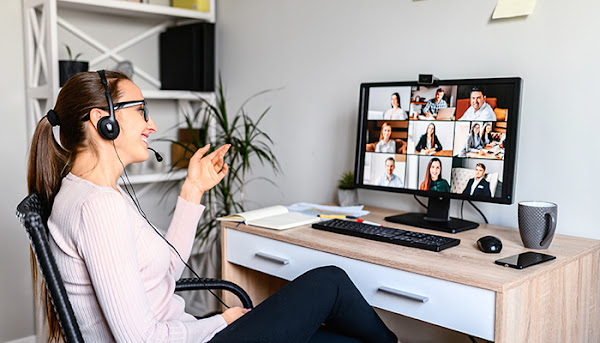
Avoid lack of engagement and video viewership when recording yourself. Knowing some simple production tips and what to do when recording will help engage your audience and increase views.

webcastingandvirtualevents.com gathered the following 10 video recording tips to guide you to produce better videos of yourself.
Video Recording Tips
Your videos should be sharp, well-produced, and to the point, whether you are reporting on the quarterly state of your marketing department or producing an informational video as a component of a virtual seminar or convention. Consider the following tips:
1 – Video Location and Background
The location you choose to shoot a video can significantly influence the video’s lighting and sound quality. Use the following when selecting a location:
- Select a place where you won’t be interrupted by family, guests, or pets
- Choose a quiet location with little to no background noise (vehicles, music, people, animals)
- Turn off appliances like fans, air conditioners, and heaters to eliminate fan noise
- The location should be well-lit with sunlight or good indoor lighting
- If you are seated, your chair should be stationary and quiet (no swivels, wheels, or large cushions)
What’s in or missing from your background? Be as deliberate with your background as you are with your other video content:

- Consider using a solid colored background or backdrop
- Remove anything that distracts attention from you and your message
- Eliminate objects that cast shadows
- Avoid shooting your video in front of reflective material (windows, mirrors, etc.). You may end up with a reflection of the camera in your video
Note: A video can be shot anywhere, at any time, and under nearly any circumstances. Be selective and mindful of what makes it into your video.
2 – Video Lighting

Avoid having your video compared to a poor quality home video or cheesy, low-budget commercial by setting up your lighting as follows:
Key Light – Front right at a 45° angle to the camera (the brightest light)
Fill Light – Front left at a 45° angle to the camera (50-75% of the key light intensity)
Back Light – Back right in line with the fill light (low intensity, preferably diffused/soft)
Your video’s primary light is the ‘key light’. It acts like the sun radiating downward and casting shadows. Shadows from the key light are neutralized with the fill light. The back light prevents dark shadows from appearing on your shoulders while creating a natural lighting appearance overall.
Tip: When outside, position your camera so the sun is in position as your key light would be.
3 – Rule of Thirds

The rule of thirds is a principle using a camera’s gridlines (creating a 3-by-3 grid) to assist photographers and videographers frame well-balanced and captivating shots/scenes.
When looking at your camera’s preview window, use the grid’s four intersecting points in the center (where the gridlines intersect) to frame yourself or point of interest. The location of these points corresponds with a person’s line of sight when first looking at a video. Using these points in your video capture will help you captivate and keep the attention of your viewers.
Note: Some cameras offer two options; gridlines and a square overlay. Gridlines help you record videos aligned with horizontal or vertical lines. The square overlay works excellently to frame video footage meant for social media platforms like Instagram or Twitter.
4 – What Not to Wear in Videos

Unless promoting your clothing or jewelry line, avoid the following clothing and accessories:
- Colors that blend or disappear into your background
- Shiny or reflective fabrics and jewelry
- Patterns like plaids and stripes
- Wrinkled or unkempt clothes
- Hats or headwear that obstructs your line of sight with your audience
- Labels, logos, images, and text (unless it is what you are promoting)
- Noisy or clanky accessories that distract your viewers
Tip: Do not cut corners by only dressing yourself from the waist up. Dress as you would if you were presenting your information to a live audience.
5 – Your Camera Presence

How you present yourself on camera will significantly impact your ability to communicate with your audience. If you appear anxious or uncomfortable on camera, your audience will be distracted from your message.
Your camera presence is something you can improve with practice. Here are some ways to build on your camera presence:
- Pay attention to your overall posture. Stand/sit up straight, shoulders back, and muscles relaxed. Avoid crossing your arms or displaying a “closed-off” appearance.
- If you feel anxious or jittery, use props to occupy your hands and divert your focus from the camera.
- Smile. Don’t forget to smile in the beginning and throughout your video. Keep it real though, if you force your smile, you can give off a sense of deception.
- Speak clearly and slow down to avoid jumbling your words and getting lost in your script.
- Practice makes perfect. In fact, record and watch yourself over and over. This gives you the opportunity to fine-tune your delivery and make corrections and/or changes.
- Compare the first few seconds of your video to the last few seconds and see how you change. Sometimes, the difference in appearance is startling.
Tip: Invest the time to practice recording yourself extensively. Even if it takes hundreds of recordings, the more you practice, the better you will be (and the more ‘B’ footage you’ll have).
6 – Answering Questions

One of the secrets to success is how well you can answer your audience’s questions. Whether you are pre-recording a presentation or speaking live at a virtual event, the following will help you answer viewers questions clearly and concisely:
- Start your answer by rephrasing the question instead of jumping straight into your answer.
- Use definitive language to start and end your answers (avoid using “uh,” “um,” and “so.”
- Begin and end your answers with a one-second pause looking straight into the camera. This pause not only provides emphasis to your answer, it creates an editing opportunity.
Note: When you are interrupted by outside noise or objects, start your answer over again.
7 – Plan Your Video in Advance

Poor or a lack of planning can leave your audience underwhelmed, even disappointed with your finished product. The following will help you plan your videos and increase the quality of your content:
- Define the purpose of your video
- Clearly define what you want to achieve or communicate
- Define your target audience and how you can best reach them
- Write a script for your video
- Storyboard everything you want to include in the video
Note: You will benefit from rearranging, editing, and deleting parts of your script that don’t work. Long-winded videos will bore your audience, be concise.
8 – Rehearse Your Video Content

The same way actors rehearse for a part in a play or movie, you should rehearse for your video presentation. Here are a few ways you can polish your delivery before recording begins:
- Rehearse your content in front of a mirror. Pay attention to facial expressions and body language, asking yourself continuously if you’d buy what you are selling.
- Enlist a small group of friends to watch you deliver your presentation. Arm your live audience with notepads and pens to critique your delivery.
- Identify areas of your presentation that give you problems and record them. Rearrange and edit these parts as needed.
Note: When you have your material rehearsed from beginning to end, return to tip #5 and further develop your camera presence.
9 – Editing Your Video

Using the tips we’ve given you will get your video off to a great start. However, it is the editing process that can take your video to a far superior level by adding:
- Text
- Subtitles
- Music
- Transitions
- Images
- Testimonials
If you don’t have editing software, you can download the free version of one of the following:
- Beginner video makers may find Filmora9 easy to use. This editing program works best on Mac and is downloaded at filmora.wondershare.com/video-editor/
- For those using a Mac, iMovie is a free editing software you can use to perfect your videos.
- For those using a PC, OpenShot is a free and straightforward editing software found at openshot.org/
Regardless of the editing program you select, run multiple tests determining which features and tools work best for your needs.
10 – Promote Your Video

If your video is a department status report for stakeholders, promoting it is as simple as emailing a link to concerned parties. If it is part of a virtual event, the event organizers will take care of the promotion footwork. However, when promoting videos on your own platform, use these suggestions:
Social Media – Make sure your videos are or can be formatted and resized for most major social media platforms.
Know Your Audience – Upload your videos to channels and platforms your audience uses. Don’t invest your time and resources with platforms your audience doesn’t use.
Video SEO – By writing concise descriptions, using well-searched keywords, and properly tagging your videos, you can significantly increase your videos’ number of views.
Fresh Content – By regularly publishing new content, you are signaling that your channel is active and well-curated. Upload new content weekly, biweekly, even monthly, just make certain that the flow of fresh content is consistent.
Audience Interaction – Let your audience give you feedback. Respond to viewer comments, answer their questions, and thank them for taking the time to watch your videos.
Note: Increasing video viewership is a dynamic collection of strategies intended to reach and appeal to your audience and those who can relate to your purpose.
How to Make Better Quality Videos
In this article, you discovered video recording tips to help you organize, rehearse, produce, and promote better quality videos of yourself.
Increasing your videos’ content quality will lead to better presentations, more satisfied viewers, and significant increases in video views and / or follower engagement.
Producing low-quality videos can hurt your brand and cause you to lose credibility, followers, and opportunities.
Sources:
nyu.edu/employees/resources-and-services/media-and-communications/video-marketing-and-communications/tips-for-recording-yourself-on-video.html
communications.news.columbia.edu/content/tips-recording-video-home
niu.edu/keepteaching/guides/self-recorded-video-tips.shtml
answers.syr.edu/display/whit/Best+Practices+for+Recording+Yourself+on+Video
See https://webcastingandvirtualevents.com/10-tips-for-video-recording-yourself/ for the first version of this content.